Design
Text
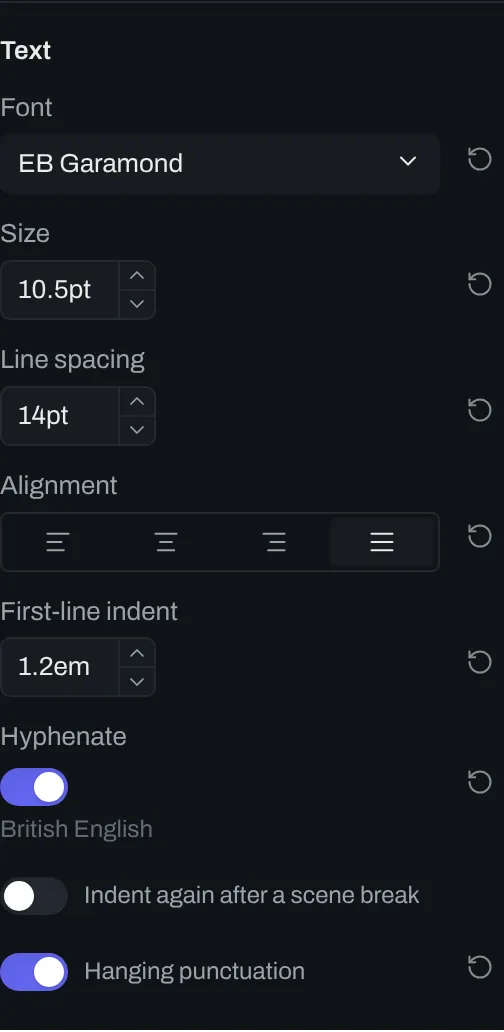
The Text group in the design panel sets the font of the text, its size and line spacing, and the alignment of each paragraph.
Controls
Section titled “Controls”| # | Control | Default | Key |
|---|---|---|---|
| 1 | Font | EB Garamond |
body-font |
| Variant | The default variant of the font | body-font-variant |
|
| 2 | Size | 11pt |
body-size |
| 3 | Line spacing | 16.5pt |
body-line-spacing |
| 4 | Alignment | Justified |
body-align |
| 5 | First-line indent | 1.2em |
body-first-line-indent |
| 6 | Hyphenate | on | body-hyphens |
| 7 | Indent again after a scene break | off | body-indent-after-break |
| 8 | Hanging punctuation | off | body-hanging-punctuation |
Font and variant
Section titled “Font and variant”Font sets the font family of the text. Variant shows only when the family has more than one variant.
Size and spacing
Section titled “Size and spacing”The baseline is the line that the letters sit on. Line spacing is the distance from the baseline of one line to the baseline of the next. A number with no unit is in points. If First-line indent is in em, the indent changes with the size of the text.
Alignment
Section titled “Alignment”Body text can be set left, centered, right or justified. When the text is justified, orca adjusts the space between the words so that each line fills the width to both margins.