Design
Scene breaks
A scene break is the space between two scenes in a chapter. The Scene breaks group in the design panel allows you to add ornaments to scene breaks.
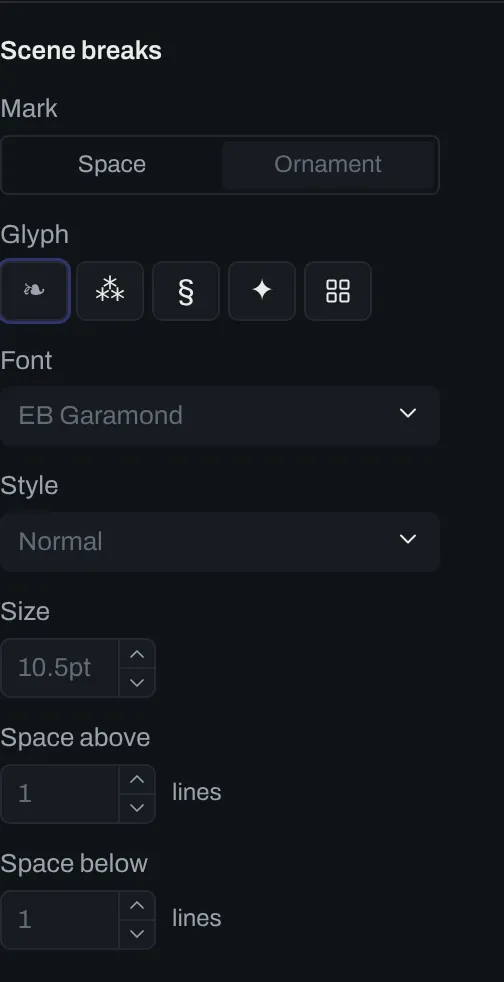
Controls
Section titled “Controls”| # | Control | Default | Key |
|---|---|---|---|
| 1 | Mark | Ornament |
scene-break-mark |
| 2 | Glyph | ❧ |
scene-break-ornament |
| 3 | Font | none | scene-break-font |
| 4 | Style | Normal |
scene-break-style |
| 5 | Size | none | scene-break-size |
| 6 | Space above | 1 line | scene-break-space-above |
| 7 | Space below | 1 line | scene-break-space-below |
Mark takes one of two values:
Spaceleaves the space empty.Ornamentdecorates the scene break with a symbol.
Glyph and font
Section titled “Glyph and font”From the Glyph row, ❧, ⁂, § and ✦ can be chosen. A browser can also be selected to choose any glyph from the scene break font.
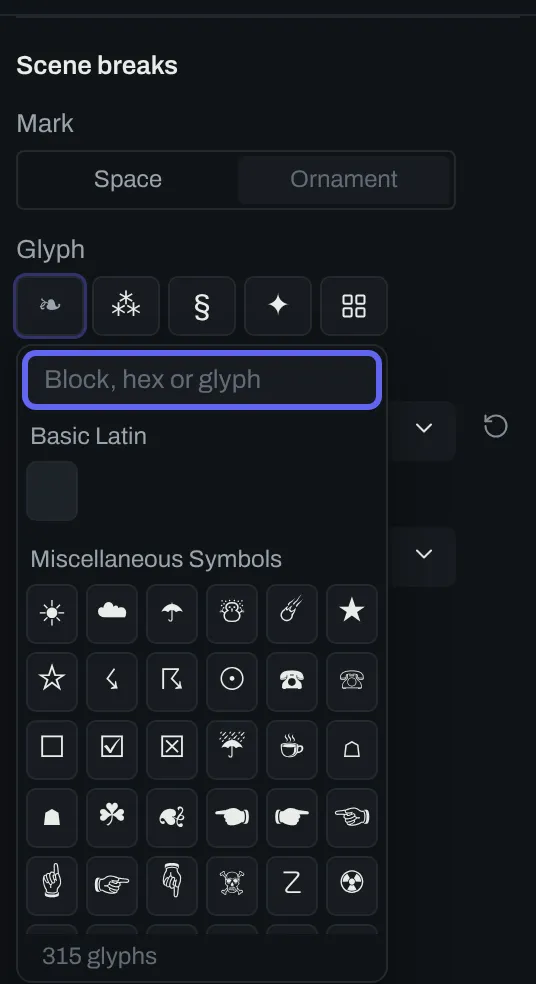
Font controls the font family the glyph is set in. By default, the body font family is used.
Style sets the weight and the slope of the glyph. The options are Normal, Bold, Italic and Bold italic.
Size sets the size the glyph prints at. By default, the body font size is used.
Space above and Space below are counts of lines of text.